
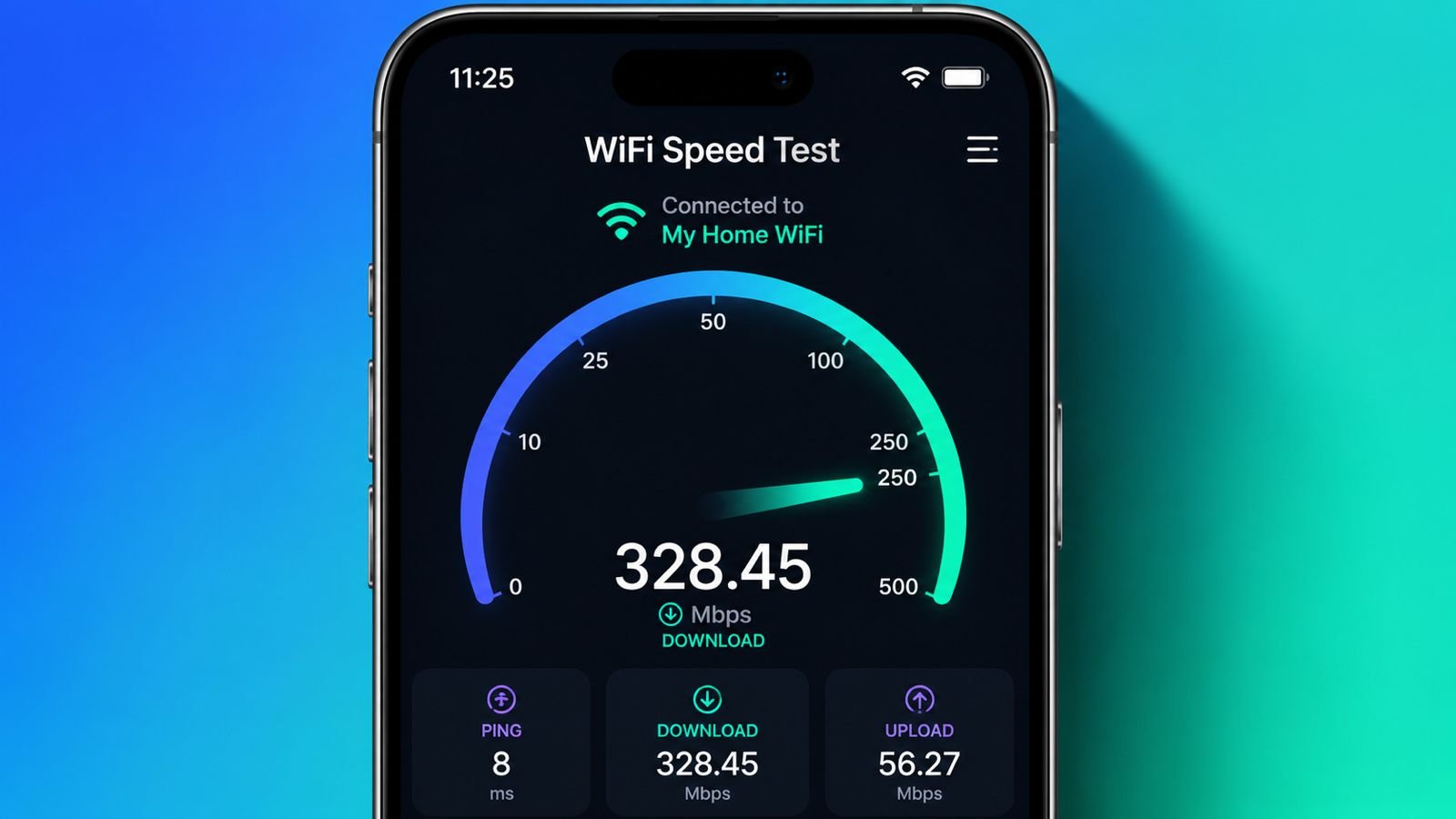
Want to know how fast your internet connection really is? Our WiFi Speed Test helps you measure your internet performance in just a few seconds. Check your download speed, upload speed, ping, and latency to see whether your WiFi network is performing as expected.
Whether you’re streaming HD videos, attending online meetings, gaming, or downloading large files, running a quick internet speed test helps you understand your connection quality and identify any performance issues.
What Is a WiFi Speed Test?
A WiFi Speed Test is an online tool that measures the speed and quality of your wireless internet connection. It analyzes several important factors, including:
- Download Speed: How quickly your device receives data from the internet.
- Upload Speed: How fast your device sends data online.
- Ping (Latency): The time it takes for data to travel between your device and the server.
- Jitter: Measures the consistency of your internet connection.
These results help you determine whether your internet service provider (ISP) is delivering the speeds you’re paying for.
How Does a WiFi Speed Test Work?
When you start the speed test, your device connects to the nearest testing server. The tool then sends and receives data packets to measure your internet performance.
The test calculates:
- Download speed in Mbps
- Upload speed in Mbps
- Ping in milliseconds (ms)
- Latency and connection stability
The entire process usually takes less than one minute.
Understanding Speed Test Results
Download Speed
Download speed measures how quickly files, videos, and web pages load on your device.
Recommended speeds:
- 25 Mbps – Basic browsing and streaming
- 50–100 Mbps – Multiple users and HD streaming
- 100–300 Mbps – Gaming and 4K streaming
- 500 Mbps+ – Large households and heavy internet usage
Upload Speed
Upload speed affects activities like:
- Video conferencing
- Live streaming
- Cloud backups
- Uploading photos and videos
A speed of 10–25 Mbps is sufficient for most users.
Ping (Latency)
Ping measures the response time between your device and the server.
- Under 20 ms – Excellent
- 20–50 ms – Very Good
- 50–100 ms – Good
- Above 100 ms – May cause delays during gaming or video calls
Jitter
Jitter measures variations in latency. Lower jitter means a more stable internet connection, which is important for gaming and voice/video calls.
What Is a Good Internet Speed?
The ideal internet speed depends on how you use your connection.
| Activity | Recommended Speed |
|---|---|
| Web Browsing | 10 Mbps |
| HD Streaming | 25 Mbps |
| 4K Streaming | 50 Mbps |
| Online Gaming | 50+ Mbps with low ping |
| Video Calls | 10–20 Mbps |
| Large Downloads | 100+ Mbps |
Why Is My WiFi Slow?
Several factors can reduce WiFi performance:
- Weak WiFi signal
- Router placed too far away
- Too many connected devices
- Network congestion
- Old router hardware
- ISP-related issues
- Background downloads or updates
- Thick walls and physical obstructions
Running a regular internet speed checker helps identify these problems early.
Tips to Improve WiFi Speed
You can improve your WiFi performance by following these tips:
- Place your router in a central location.
- Restart your router regularly.
- Switch to the 5 GHz WiFi band if available.
- Update your router firmware.
- Disconnect unused devices.
- Use WPA3 or WPA2 security.
- Upgrade your broadband plan if necessary.
- Replace an outdated router.
- Reduce interference from other wireless devices.
When Should You Run a WiFi Speed Test?
It’s a good idea to test your internet speed when:
- Streaming videos buffer frequently.
- Video calls keep freezing.
- Online games lag.
- Websites load slowly.
- Downloads take longer than expected.
- You suspect your ISP isn’t delivering promised speeds.
- After installing a new router or broadband connection.
Benefits of Using Our WiFi Speed Test
Our free internet speed test provides:
- Fast and accurate results
- Real-time download and upload measurements
- Ping and latency analysis
- Mobile-friendly interface
- No software installation required
- Completely free to use
Simply click Start Test and get instant insights into your internet connection.
Frequently Asked Questions
How do I test my WiFi speed?
Click the Start Test button and wait for the tool to measure your download speed, upload speed, ping, and latency.
What is a good WiFi speed?
For most households, 50–100 Mbps is sufficient. Heavy users, gamers, and families with multiple devices may benefit from speeds above 200 Mbps.
Does WiFi affect internet speed?
Yes. Router quality, signal strength, distance, interference, and connected devices all impact WiFi performance.
How often should I check my internet speed?
Testing your connection once every few weeks or whenever you notice slow performance is recommended.
Why is my download speed slower than my internet plan?
Actual speeds can vary due to network congestion, WiFi signal strength, device limitations, and ISP traffic management.
Conclusion
A WiFi Speed Test is the quickest way to check your internet connection and ensure you’re getting the performance you expect. By measuring download speed, upload speed, ping, and latency, you can identify network issues, improve WiFi performance, and enjoy smoother browsing, streaming, gaming, and video calls.
Run our free WiFi Speed Test anytime to monitor your internet speed and keep your connection performing at its best.