
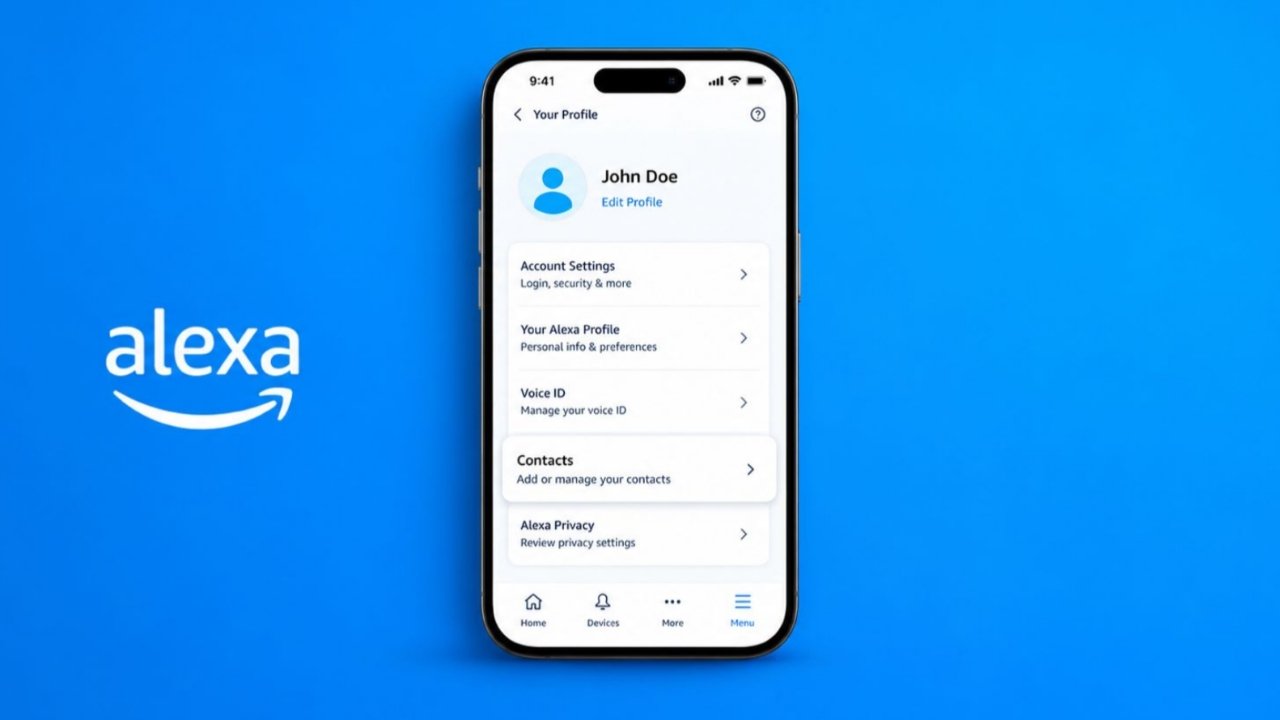
Add Contacts to Alexa for easier daily communication. Alexa helps users call and message contacts. The Alexa app manages contacts very easily.
Contact syncing keeps information updated automatically. These features improve convenience across Echo devices.
Add Contacts to Alexa Using the Alexa App
The Alexa app offers the simplest setup method. Most users choose this quick contact option.
Download and Open the Alexa App
First, install the Alexa app on smartphones. The app supports Android and iOS devices. Open the app after installation completes successfully.
During device setup, create your Alexa profile. Enter your name during the setup process. Add your phone number for verification purposes. Alexa sends a verification code through SMS. This verification enables communication features correctly.
Open the Communication Section
Tap the Communicate icon near the bottom. This section contains communication-related Alexa features. Here you manage calls and messages.
Next, tap the contacts icon available above. The icon looks like a person outline. It appears within the upper-right corner.
First-time users may see permission requests. Allow access to your phone contacts. Alexa needs access for importing information.
Import Contacts Into Alexa
Open the contacts screen from Communicate. Tap the three-dot menu option available. Select the Import Contacts option displayed.
If Import Contacts remains disabled currently, enable the toggle switch immediately. Alexa then starts importing contacts automatically.
This process saves considerable setup time. Users avoid entering contacts one by one. Large contact lists transfer very quickly.
Benefits of Contact Importing
Imported contacts become available through Alexa services. You can call contacts using voice commands. You can send messages very easily. Some contacts may support Drop In features.
The import feature exists mainly for convenience. It removes unnecessary manual contact creation. Most users never need manual entries afterward.
Keep Information Updated
Alexa automatically updates imported contact information. This feature helps maintain accurate contact records.
Automatic Contact Updates
Whenever new contacts are added, Alexa updates. Changes appear almost immediately after syncing. Users never need manual refresh actions.
Alexa regularly scans your device contacts. Updates occur whenever the app opens. Updates also happen during device connections.
This process ensures information stays current. New phone numbers appear automatically inside Alexa. Newly added contacts also appear quickly.
Why Automatic Syncing Helps
Automatic syncing saves valuable user time. There is less contact management effort. Information remains consistent across connected services.
When users purchase new Alexa devices, syncing helps greatly. Existing contacts appear without additional setup. Everything becomes ready very quickly.
Many customers appreciate this convenience feature. Contact management becomes much easier overall. Users enjoy a smoother communication experience.
Managing Contacts Across Accounts
Many homes use multiple Alexa accounts. Each account maintains separate contact access. Alexa-enabled devices support multiple account usage.
However, app access works differently. Users only view personal contacts there. Other account contacts remain unavailable through apps.
Edit Contacts, and Use Communication Features
Alexa provides tools for editing contacts. Users can also add individual contacts manually.
How to Edit Existing Contacts
Open the Alexa app first. Tap the Communicate section below. Open the contacts icon afterward.
Choose the contact needing updates. Tap Edit to open editing options. Several details can be modified easily.
Users can update first names. Users can change last names. Nicknames can also be added.
These changes improve contact recognition. Personalized names help identify people faster. Tap Save after making modifications.
Information That Requires Phone Editing
Some details cannot change within Alexa. Phone numbers require device contact editing. Email addresses require device editing too.
Make changes inside your contacts application. Alexa then syncs those changes automatically. Updated information appears after synchronization completes.
Add Individual Contacts Manually
Some users prefer manual contact creation. Alexa supports this option very easily.
Open the Alexa app first. Tap the Communicate section afterward. Open the contacts icon available there.
Tap the three-dot menu icon. Choose Add Contact from available options. Enter the required contact information carefully.
Review details before saving everything. Tap Save when the information looks correct. The contact becomes available immediately.
When Manual Contact Creation Helps
Manual creation suits specific situations well. Users may need only certain contacts. Importing complete contact lists becomes unnecessary.
This method also helps temporary contacts. Important contacts can be added quickly. Users maintain better control over entries.
Communication Features Available After Adding Contacts
Adding contacts unlocks useful Alexa features. Communication becomes faster and more convenient.
Alexa Calling
Alexa supports hands-free calling features. Users can call contacts using voice commands. This feature works through Echo devices.
Calling becomes useful during busy routines. Users continue tasks while communicating easily. Voice control improves overall convenience greatly.
Alexa Messaging
Messaging works similarly through Alexa services. Users send messages without touching phones. Communication becomes simpler around the home.
Messages reach supported Alexa contacts quickly. This feature supports everyday communication needs. Many households use messaging regularly.
Drop In Feature
Some contacts support the Drop In feature. This option enables direct device communication. Connections happen faster than regular calling.
Open a contact profile to manage permissions. Enable Allow Drop In when appropriate. Trusted contacts can connect directly afterward.
Users should enable this carefully. The feature provides immediate communication access. Trusted family members often use it.
Contacts Without Alexa Accounts
Alexa can still help contact others. Contacts without Alexa accounts remain accessible. Their information appears within contact listings.
Users can contact these people when supported. They must exist inside contact lists. They must also appear within Alexa contacts.
Viewing Contact Options
Tap any contact inside the Alexa app. Different options appear depending on status. Alexa account holders receive additional features.
These features include calling and messaging. Drop In options may also appear. Available actions display clearly on screen.
Bonus Feature: Your Contacts News Skill
Alexa also supports useful third-party skills. One example involves contact-related news updates.
What Is Your Contacts News?
Your Contacts News is an Alexa skill. It delivers news about your contacts. It also covers their organizations and companies.
This feature provides useful relationship insights. Users receive relevant professional updates regularly. Communication opportunities become easier to discover.
How to Set Up the Skill
Setup requires only three simple steps:
- Download and register for Covve.
- Enable the Your Contacts News skill.
- Log into your Covve account.
After setup, start using the skill. Ask Alexa to open contacts. Alexa then provides recent updates immediately.
What Information Does It Provide?
The skill shares important company developments. It highlights news affecting your contacts. Users receive recent and relevant stories.
These updates create conversation opportunities naturally. Users can reconnect with acquaintances easily. Professional relationships remain active and stronger.
How the Covve News Engine Works
Covve uses an advanced AI-powered engine. The system scans many news sources. More than 150 sources receive monitoring.
The engine reads articles automatically. It identifies companies within those articles. It understands important article messages clearly.
The system measures story importance levels. It determines affected contacts accurately. Users receive personalized news information quickly.
This feature helps maintain professional rapport. Users stay informed about important developments. Relationship management becomes much more effective.
As We Conclude
Add Contacts to Alexa for better communication. The Alexa app simplifies contact management tasks. Automatic syncing keeps records always updated.
Calling, messaging, and Drop In add convenience. Alexa makes staying connected much easier daily.